Build a part in the browser. Explore an assembly. Let a connected AI help with a design in Desktop. Stay in control of the result.
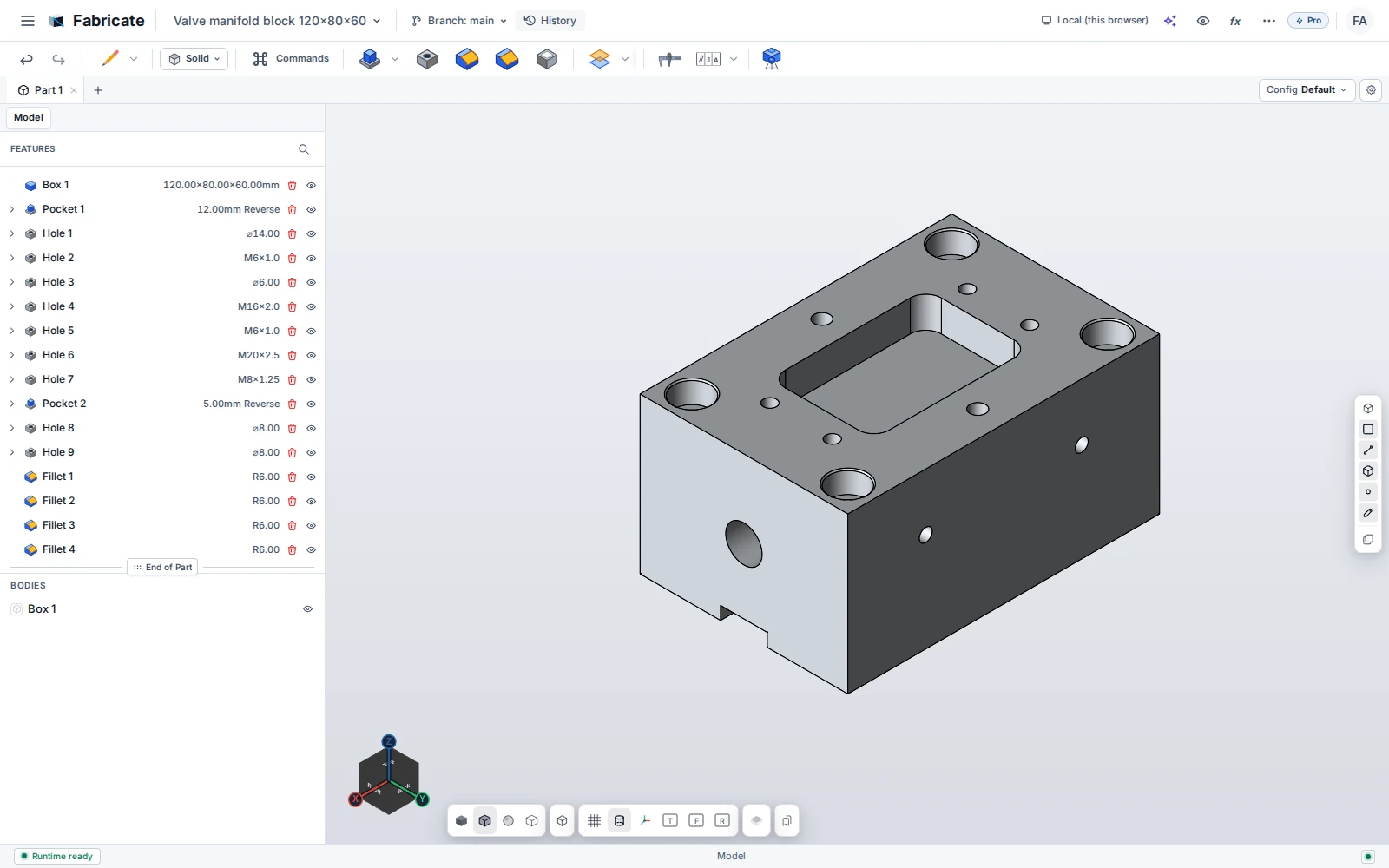
Actual Fabricate capture · Valve manifold with pockets, holes and fillets.
01 / Explore
Model with intent
Use constraints, dimensions, variables, and a feature history to express how a part should behave. Revisit a feature and change its parameters as the design develops.
2D and 3D sketches
Extrude, revolve, holes, fillets, patterns and mirrors
Pro: sweep, loft, shell, draft, surfaces and direct editing
02 / Explore
Assemble the system
Bring components together in an Assembly tab. Define their relationships with mates, inspect remaining degrees of freedom, and check for interference.
Mates and placement
Fastener tools
Assembly STEP export
03 / Explore
Communicate the detail
Create engineering drawings from your design. Add dimensions, tolerances, and manufacturing information, then export the sheet for the next step.
Projected and section views
Dimensions and GD&T
PDF, DXF and SVG drawing export
04 / Explore
Work with AI
Connect a compatible AI client to Fabricate Desktop. Give it a brief, ask it to inspect a design, or have it build parts, assemblies, and drawings through the same CAD tools.
Create new geometry
Revise features and dimensions
Inspect, measure and document
Purchasing opens December 2026
Your next idea starts here.
Bring the part you have in mind. We’ll show you what Fabricate can
do.
 Fabricate