 Fabricate
01 / Explore
Create complete parts
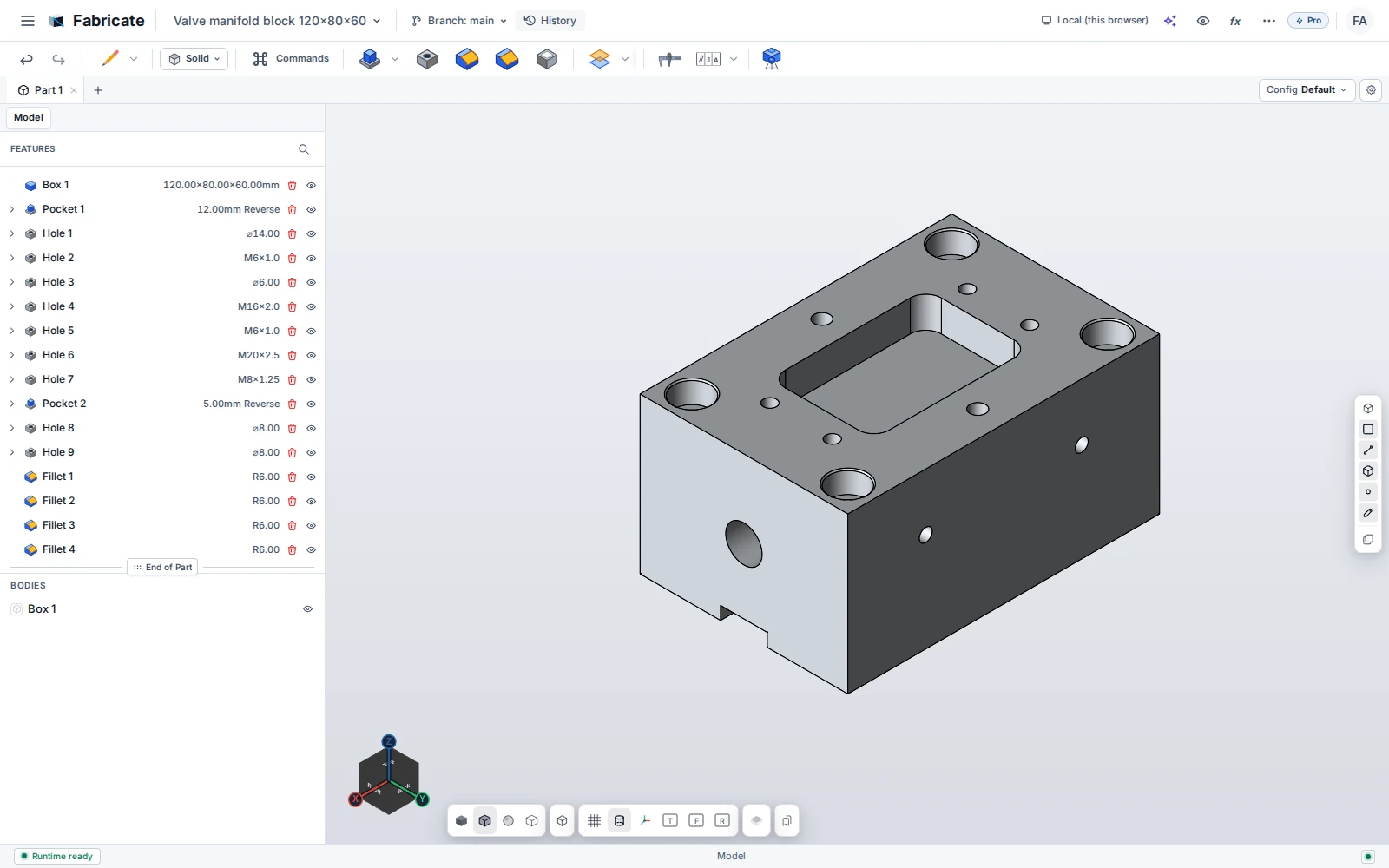
Your AI client can create sketches and features, select faces and edges, drill holes, apply fillets, and inspect the resulting geometry. It works with the model itself.
Create with AI / Standalone Fabricate
Build complete parts, assemblies, and drawings with connected AI in Fabricate Desktop. Inspect, edit, and keep developing the result.
Describe the part you need. Let AI work through the CAD tools. Then change the brief, inspect a detail, or take the controls yourself.
01 / Explore
Your AI client can create sketches and features, select faces and edges, drill holes, apply fillets, and inspect the resulting geometry. It works with the model itself.
02 / Explore
The toolset extends to assembly components and mates, drawing sheets and views, dimensions, and export. AI creation goes beyond an isolated solid.
03 / Explore
Ask for a different dimension, another hole specification, or a revised sketch. Feature history and parameters let the design evolve, and you can continue editing by hand.
04 / Explore
Fabricate Desktop exposes its CAD tools through a local MCP server. Setup guidance is available for Claude Code, Cursor, and Claude Desktop. Other clients need compatible MCP transport and tool support.
Purchasing opens December 2026
Bring the part you have in mind.
We’ll show you what Fabricate can
do.